The sounds in TOMU’S SOUND LIBRARY are recorded and created mainly with an iPhone 11 Pro and a ZOOM iQ7 (stereo microphone) outdoors, and in a recording space at home with sound-absorbing material installed indoors. This page introduces, with photos, the gear and recording space actually in use, and what the owner keeps in mind when recording.
How the sounds are recorded and created
The published sounds include sounds recorded outdoors and sounds recorded indoors. About three quarters of the sounds with a recorded location were recorded at home (an apartment in Shimo-Meguro).
| Outdoors / on the go | Indoors | |
|---|---|---|
| Where | Parks, stations and rivers around Meguro, Tokyo (Rinshi-no-mori Park, around JR Gotanda Station, along the Yamanote Line, the Meguro River, around Fudoson) | A recording space at home, with sound-absorbing material on the walls |
| Main sounds | Ambient sounds of parks, the city, stations, rivers and rain. Sounds that come with MP4 video | Guitar, voice, everyday-object sound effects and more |
| Gear | iPhone 11 Pro, ZOOM iQ7 | ZOOM iQ7, Steinberg UR22C, a condenser microphone and more |
Unless a sound’s page says so, we do not state which gear was used for which sound. These sounds are examples recorded outdoors and indoors.
Recorded outdoors
Early Autumn Insect Sounds Heard from a Park Bench | Nature Sound Effect
A 20-second recordin…
Recorded in the indoor recording space
Outdoors: iPhone 11 Pro and ZOOM iQ7
Outdoors, the owner records with a ZOOM iQ7 stereo microphone, which attaches through the Lightning port, plugged into an iPhone 11 Pro. The owner takes it to parks, stations and rivers to record ambient sound.
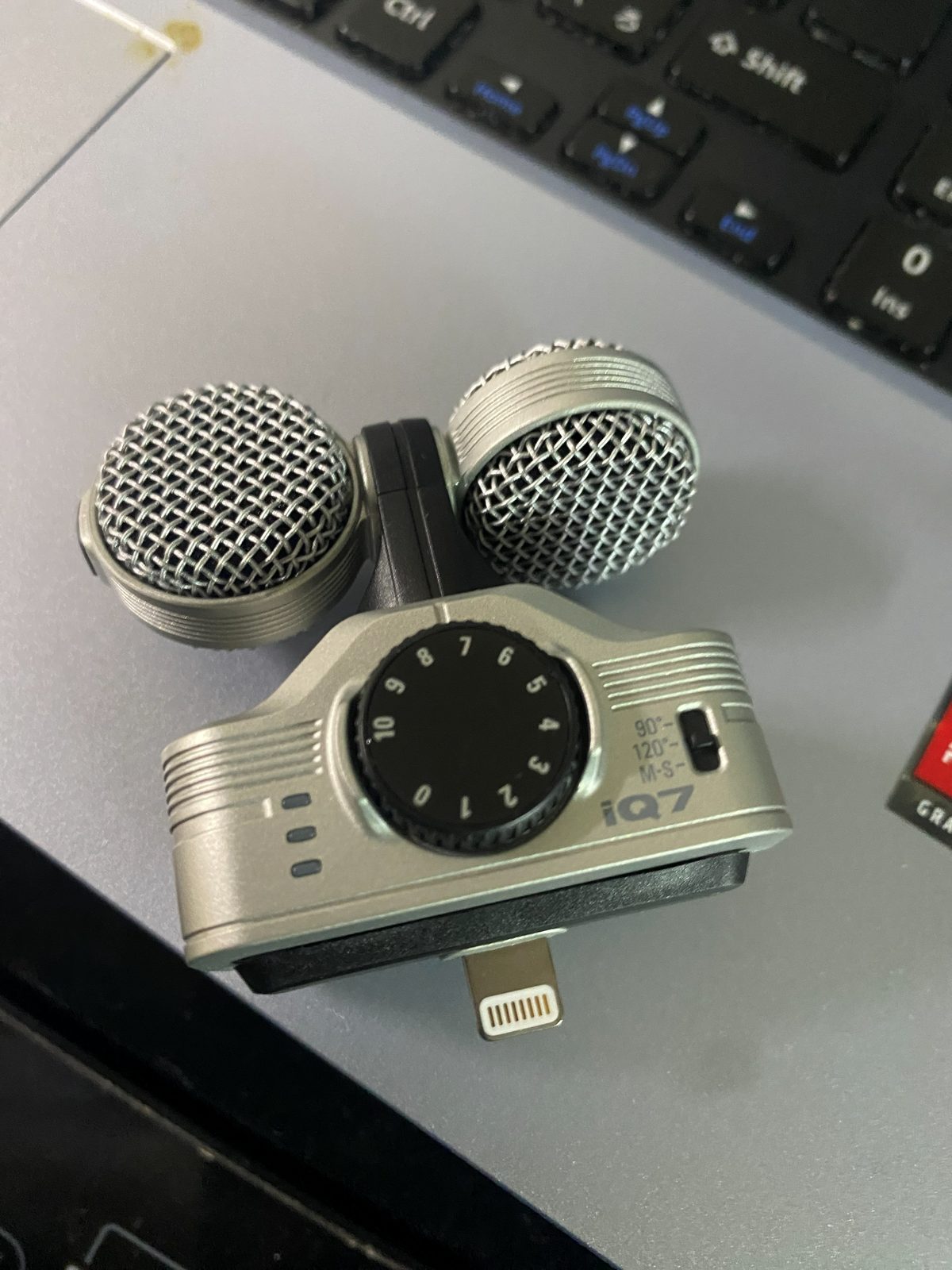
What the owner keeps in mind when recording (the owner’s own experience)
- Stereo width: the iQ7 has a switch on the body for 90°, 120° and M-S. At this library, ambient sound is mainly recorded at 120° and guitar mainly in M-S. This is the owner’s general practice; unless a sound’s page says so, we do not state the recording settings of individual sounds.
- Test recording: the owner recommends making a short test recording before the real one and checking the sound with earphones or similar.
- Noise: noise has gotten into recordings made near radio signals, electrical equipment or lighting. For that reason, the owner switches off unneeded lights and electrical equipment as far as possible. The cause was not identified; this is a precaution based on the experience of actually getting noise.
Key points of ZOOM’s official information
ZOOM’s product page describes 90° as a setting that focuses on the sound source and 120° as a wider setting that includes ambience and room sound. M-S is a method that lets you adjust the stereo width after recording, using the iOS app Handy Recorder. ZOOM’s operation manual (2014 edition) also says that if a connected device uses wireless communication during recording, noise may be recorded, and that you should use airplane mode. Sources are listed at the bottom of this page.
Indoors: a recording space with sound-absorbing material
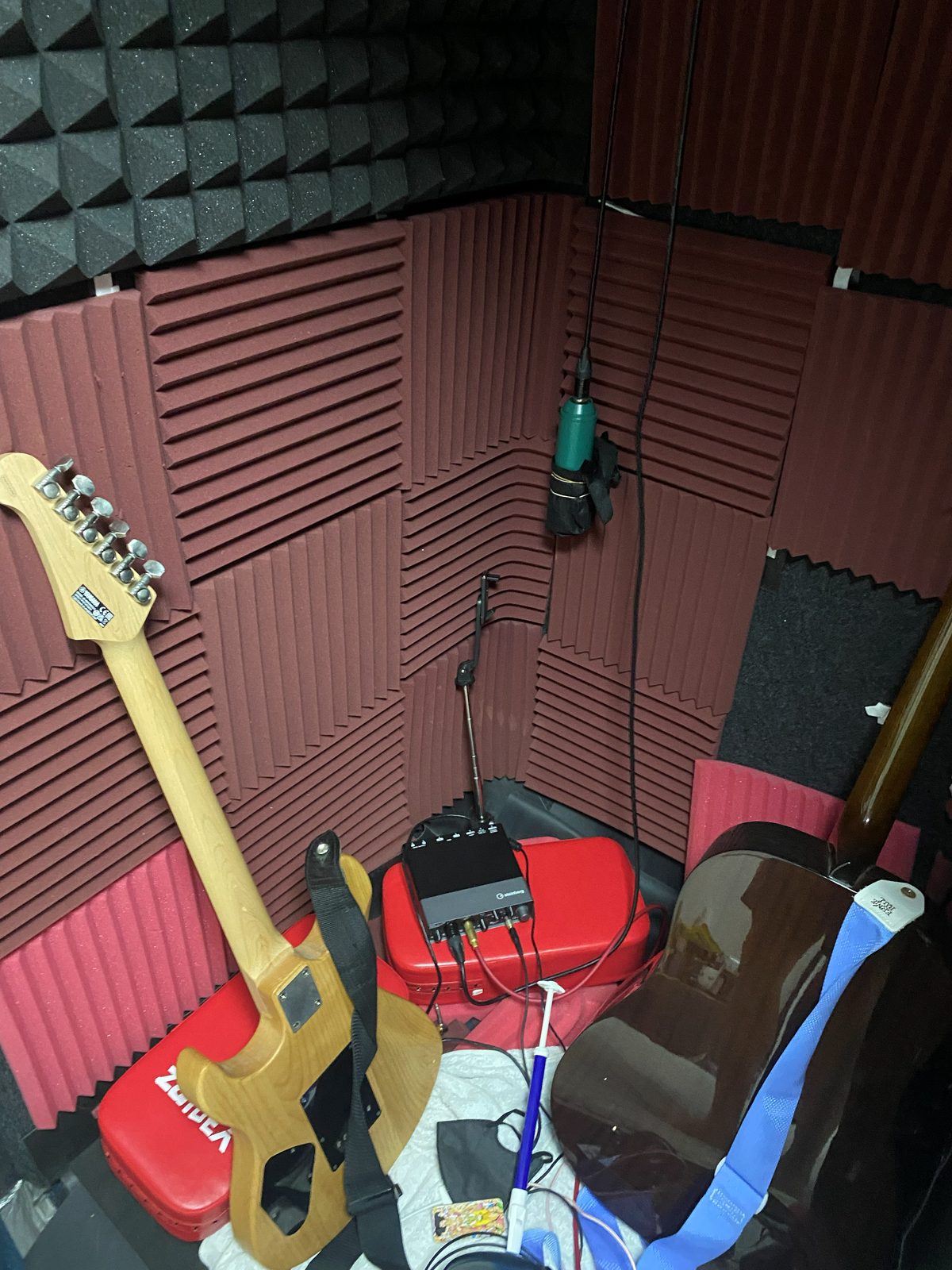
Indoor recording is done at home, in a space with sound-absorbing material installed on the walls. Guitar, voice and everyday-object sound effects are recorded in this space. The space in the photo holds an audio interface, a microphone, an electric guitar, an acoustic guitar and other items.
Steinberg UR22C (audio interface)
This is the audio interface kept in the indoor recording space. The owner uses it to connect microphones and guitars and bring the sound into a computer.
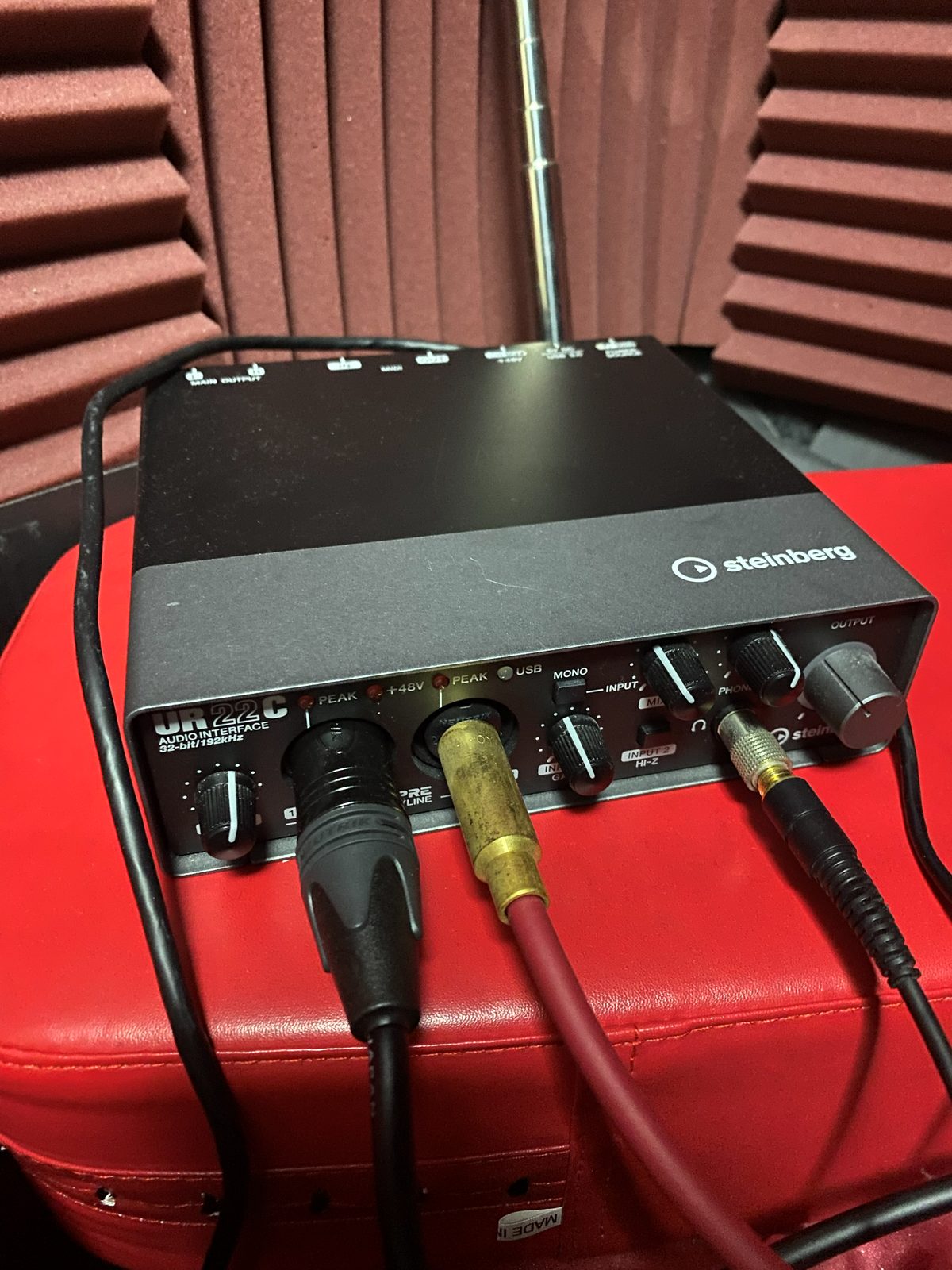
According to Steinberg’s official information, it is a 2-in/2-out USB audio interface with a “HI-Z” switch for connecting electric guitars and similar instruments, and a phantom power (+48V) switch for condenser microphones. It also has a PEAK indicator that shows when a sound is close to distorting.
The condenser microphone used for indoor recording
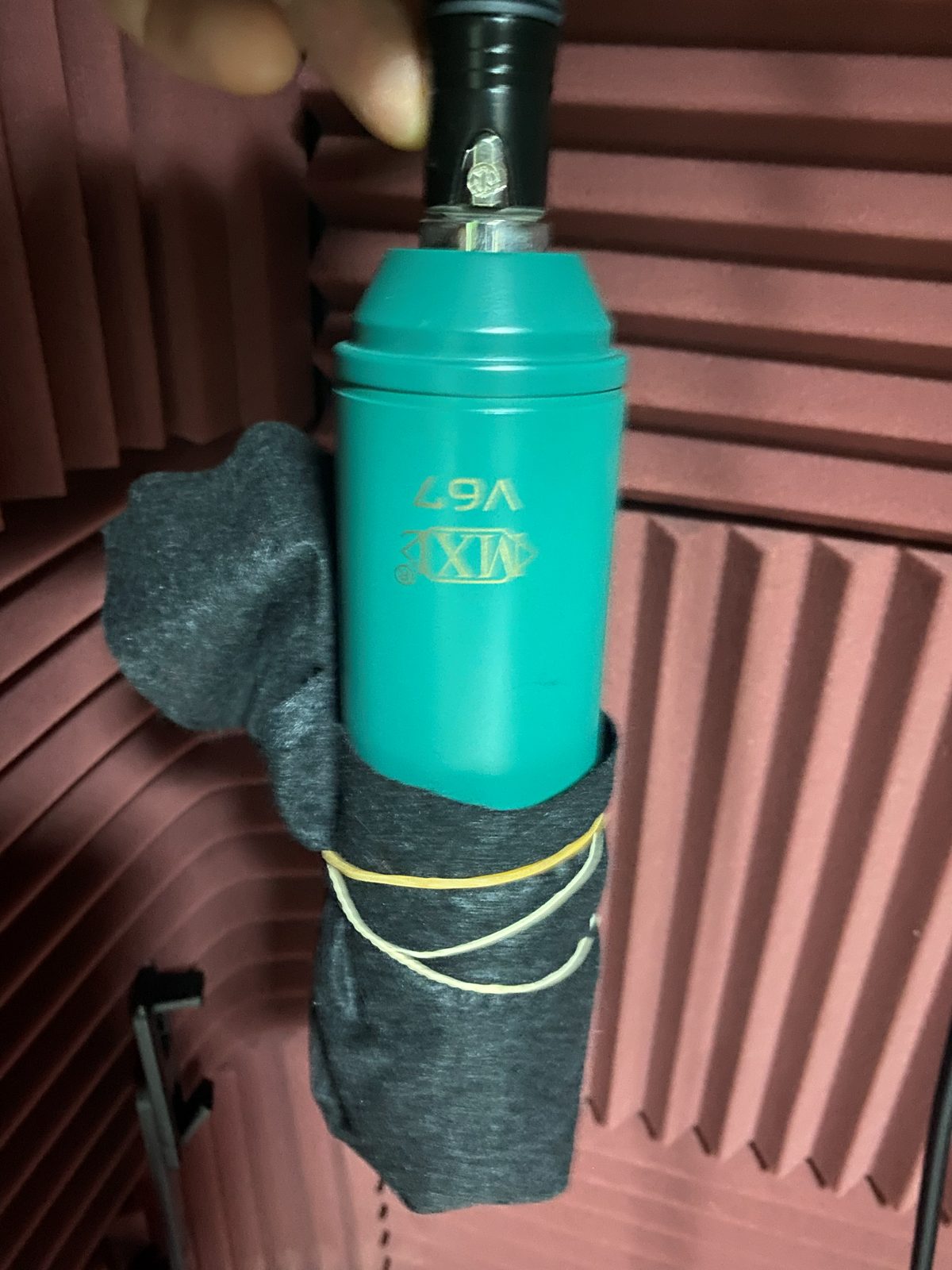
This is the condenser microphone used for indoor recording. Condenser microphones generally need power such as phantom power (+48V), and the UR22C has a switch for it.
Related guides
- The flow of recording: Field Recording Guide / Recording and Creating Sounds
- Using recorded sounds: Using Sound Effects (Adjusting Sound Effect Volume / Cutting and Editing Sound Effects)
- For the terms of use, see the License page. For an introduction to the site, see the About page.
Sources and date checked
Date checked: ZOOM information on September 20, 2026 (the product page was also checked on October 3, 2026); Steinberg UR22C information on October 3, 2026
- ZOOM iQ7 product page (zoomcorp.com): descriptions of 90°, 120° and M-S
- ZOOM iQ7 Operation Manual (PDF, Japanese only; document number Z2I-2137-02, 2014 edition): noise from wireless communication
- Steinberg UR22C product page (steinberg.net) and UR22C Operation Manual (PDF): inputs and outputs, HI-Z, phantom power, PEAK indicator
- How the owner uses the gear, and photos of the gear and recording space: the owner’s own firsthand information (photos taken by the owner)