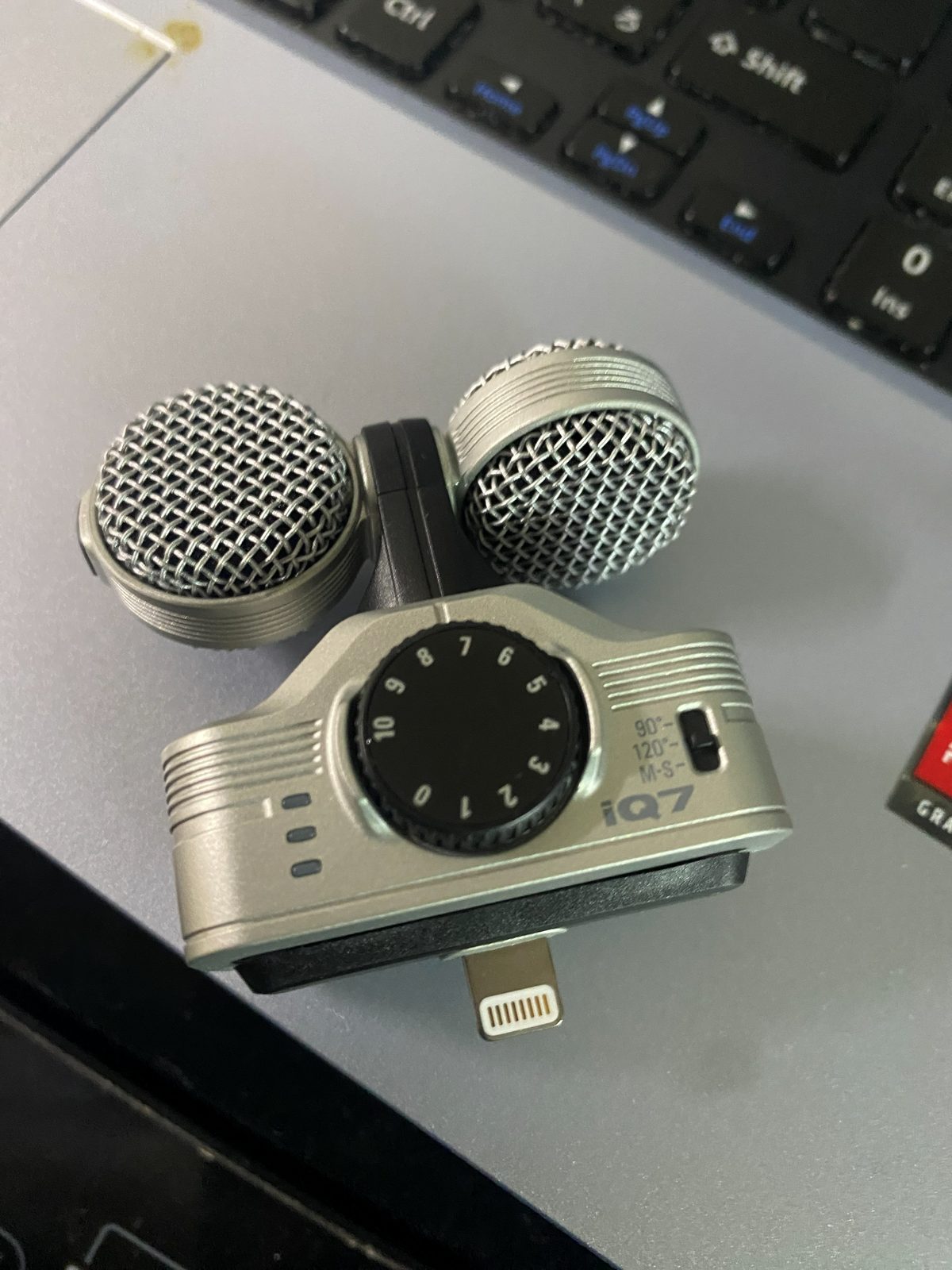
Field recording means recording ambient sound outdoors: in parks, in the city, at stations and along rivers. At TOMU’S SOUND LIBRARY, the owner, TOMU, records these sounds around Meguro, Tokyo, with a ZOOM iQ7 stereo microphone attached to an iPhone 11 Pro. This page describes the flow of recording, keeping what the owner actually does separate from the manufacturer’s official information.
Where the sounds are recorded
Outdoor recording is centered on Meguro, Tokyo. The library includes sounds recorded in Rinshi-no-mori Park, around JR Gotanda Station and along the Yamanote Line, along the Meguro River and around Fudoson. The owner has been recording the sounds heard around TOMU’s home and neighborhood, little by little.
Before you record
- Equipment: an iPhone 11 Pro and a ZOOM iQ7. For ambient sound, the owner mainly uses the iQ7’s 120° setting, which records a wide stereo image. The difference between the switch settings is explained on Recording Gear and Setup.
- Checking the level: according to ZOOM’s official information, the iQ7’s input gain ranges from +3 to +43 dB and is adjusted with the GAIN knob while watching the LED level meter. A red LED lights up when the sound is so loud that it distorts; in that case, lower the gain.
- Airplane mode: ZOOM’s manual says that if a connected device uses wireless communication during recording, noise may be recorded. Using the iPhone’s phone function stops recording, so the manual explains that you should switch to airplane mode when using the iQ7.
- Test recording: the owner recommends making a short test recording before the real one and checking the sound with earphones or similar.
While recording
In parks, the owner sometimes stays still for a few minutes and waits until the sounds of the place come back before recording. In summer parks, the owner may put up with mosquito bites and keep still until the recording is finished. During a recording, the owner sometimes leaves the iPhone on a bench and spends some time just gazing at the sky.
The owner has also had noise get into recordings made near radio signals, electrical equipment or lighting. For that reason, the owner switches off unneeded lights and electrical equipment as far as possible before recording. The cause was not identified; this is a precaution based on the experience of actually getting noise.
Recording in a park in a residential area
Rinshi-no-mori Park is surrounded by residential areas. Along with birds, wind and trees, you may hear ambulances, motorcycles and cars. The owner does not treat all such sounds as failures or noise to be removed, and sees them as the sound of a park in a Tokyo residential area. The recordings are kept as a record of the place.
Early Autumn Insect Sounds Heard from a Park Bench | Nature Sound Effect
A 20-second recordin…
Recording at stations and in the city
Sounds recorded at stations and in the city may include the voices of people nearby, announcements and the sound of vehicles. The License also explains that sounds recorded in towns and stations may contain sounds that involve third-party rights, and that sounds such as ambulance sirens, crossing and vehicle warning sounds and public transport sounds cannot always be used freely for every purpose, even though they are distributed. When recording, choose a place and time that will not bother the people around you, and check the License before you use the sounds.
After recording
A recorded file may be too quiet, or may have unneeded parts at the start and end. Ways of adjusting sounds, using sounds from this library as examples, are explained in Adjusting Sound Effect Volume and Cutting and Editing Sound Effects.
Points to watch
Wind and the sound of a hand touching the microphone can be recorded as noise. Apart from the foam windscreen included among the accessories, we could not find any specific measures against wind or handling noise on the ZOOM product page or in the manual we checked. If this concerns you, make a test recording before the real one and check it with earphones or similar.
Sources and date checked
Date checked: October 3, 2026
- ZOOM iQ7 product page (zoomcorp.com): input gain, accessories, the 90°, 120° and M-S settings
- ZOOM iQ7 Operation Manual (PDF, Japanese only): wireless-communication noise, airplane mode, level LEDs
- The owner’s way of recording and experience: the owner’s own firsthand information